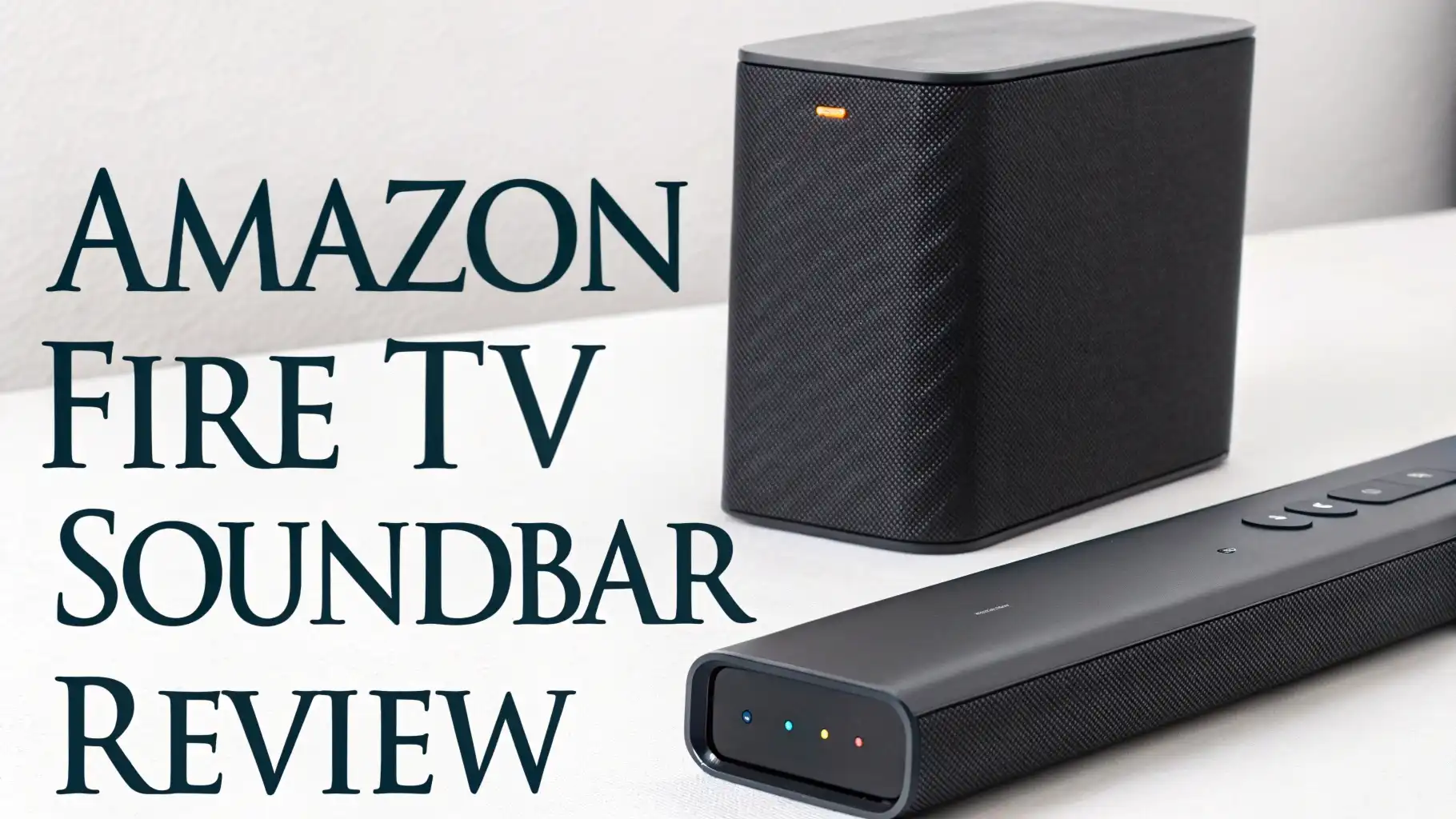
Amazon Fire TV Soundbar Review: Is This Worth Your Money?
Your TV’s built-in speakers are probably making you miss out on half the excitement of your favorite movies and shows. I get it.
You want better sound without spending a fortune or dealing with complicated setups. That’s exactly where the Amazon Fire TV Soundbar comes into play.
This soundbar promises to deliver rich, room-filling audio while keeping things simple and affordable. It connects to your TV in minutes, responds to Alexa voice commands, and costs less than a fancy dinner for two. But does it actually deliver the goods, or is it just another piece of tech clutter?
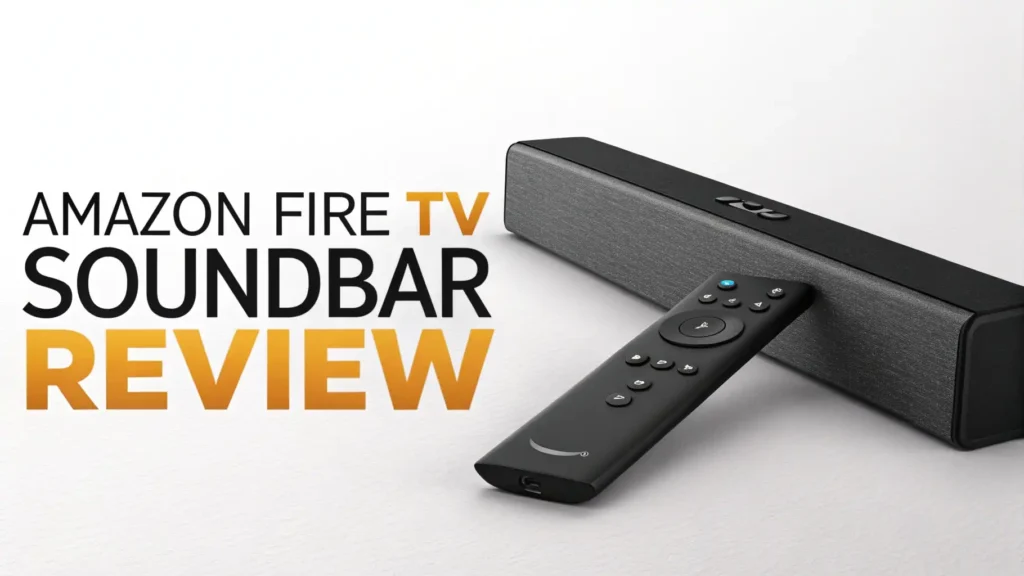
Key Takeaways:
- Affordable audio upgrade: The Fire TV Soundbar delivers significantly better sound than standard TV speakers at a budget-friendly price point, making it perfect for apartment dwellers and casual viewers
- Simple setup process: You’ll have this soundbar connected and running in less than 10 minutes using a single HDMI cable or optical connection
- Alexa integration: Built-in voice control lets you adjust volume, switch inputs, and control playback without touching a remote
- DTS Virtual:X support: The soundbar creates simulated surround sound that adds depth to movies and shows, though it won’t match dedicated multi-speaker systems
- Compact design: The slim profile fits easily in tight spaces and won’t block your TV screen or IR sensor
- Best for smaller rooms: This soundbar shines in bedrooms and small living rooms but may struggle to fill larger spaces with sound

What Makes the Amazon Fire TV Soundbar Stand Out
The Amazon Fire TV Soundbar enters a crowded market dominated by brands that have been making audio equipment for decades. So what makes this newcomer worth considering? Amazon focused on solving real problems that everyday users face.
First, the price point hits a sweet spot. You’re getting genuine audio improvement without the sticker shock that comes with premium brands. Amazon designed this soundbar for people who want better sound but don’t need reference-quality audio that costs more than their TV.
The Fire TV integration is seamless if you’re already in Amazon’s ecosystem. Your Fire TV remote controls everything, and the soundbar automatically powers on when you start watching. No juggling multiple remotes or programming universal controllers.
The design philosophy emphasizes simplicity. Amazon eliminated features that most casual users never touch, keeping the price down and the learning curve flat. You won’t find dozens of sound modes or complex calibration menus. Instead, you get three straightforward settings: Movie, Music, and Night mode.
The compact dimensions make it perfect for modern living spaces where every inch counts. At just over two feet wide, it fits under most TVs without overwhelming your entertainment center. The all-black finish blends into the background, letting your TV remain the focal point.
Sound Quality: How Does It Actually Perform
The most important question about any soundbar is simple: does it sound good? The Fire TV Soundbar delivers a noticeable upgrade from standard TV speakers, though it won’t blow audiophiles away.
Dialogue clarity improves dramatically compared to built-in TV speakers. Voices come through crisp and centered, making it easier to catch every word without cranking the volume. This matters especially for shows with heavy accents or technical dialogue that gets lost in muddy audio.
The bass response surprises for a soundbar without a separate subwoofer. You’ll feel the rumble of explosions and the thump of music, though deep bass lovers might still crave more. The two built-in bass ports help extend the low-end response beyond what the slim profile suggests.
DTS Virtual:X technology attempts to create three-dimensional sound from just two speakers. It works reasonably well, adding a sense of space to action scenes and atmospheric soundtracks. Don’t expect true surround sound, but the soundstage feels wider and taller than standard stereo.
Top 3 Alternatives for Amazon Fire TV Soundbar


Setup and Installation: Getting Started
Unboxing the Fire TV Soundbar reveals exactly what you need: the soundbar itself, a power cable, an HDMI cable, an optical audio cable, and a quick start guide. Amazon includes both connection options, so you won’t need an extra shopping trip.
The HDMI ARC connection is the preferred method. Plug one end into the soundbar’s HDMI port and the other into your TV’s HDMI ARC or eARC port. Most TVs from the past five years have at least one HDMI ARC port, usually labeled clearly.
If your TV lacks HDMI ARC, the optical connection works perfectly. The setup process takes the same amount of time and delivers comparable sound quality. Some older TVs require you to manually change the audio output setting in the TV menu.
Physical placement matters more than you might think. Position the soundbar directly in front of your seating area for the best sound. Placing it inside a cabinet or behind cabinet doors muffles the audio and defeats the upgrade purpose.
The power cable reaches about six feet, which works for most entertainment centers. If you need more length, any standard extension cord does the job. The soundbar draws minimal power, so it won’t stress your electrical setup.
Design and Build Quality: What You’re Getting
The Fire TV Soundbar adopts a minimalist aesthetic that works with any decor style. The matte black fabric covering wraps around the front and sides, hiding the speaker drivers while allowing sound to pass through cleanly.
The top panel features a simple control scheme. Touch-sensitive buttons let you adjust volume, switch inputs, and activate Alexa even without a remote. The buttons respond quickly but require a deliberate press to prevent accidental activation.
Build quality feels solid for the price range. The cabinet doesn’t flex or creak when you pick it up, suggesting decent internal bracing. The fabric covering resists light scratches and cleaning, though it will show dust over time like any black surface.
The weight distribution keeps the soundbar stable on furniture. Rubber feet on the bottom prevent sliding and vibration transfer. You can also wall-mount the soundbar using the keyhole slots on the back panel.
Alexa Integration: Voice Control Features
The built-in Alexa integration transforms how you interact with your entertainment system. Simply say “Alexa, turn up the volume” or “Alexa, pause” to control playback without finding the remote.
Voice control extends beyond basic commands. You can ask Alexa to play specific songs, check the weather, control smart home devices, and set timers while watching TV. The soundbar’s microphones pick up voices clearly even during loud action scenes.
The far-field microphones work from across the room. You don’t need to shout or move closer to the soundbar for Alexa to hear you. Amazon’s voice recognition technology has improved significantly, understanding natural speech patterns and accents.
Privacy matters to many users. A dedicated microphone mute button on the top panel physically disconnects the microphones when pressed. A red light indicator confirms when the mics are disabled, giving you control over when Alexa listens.
Multi-room audio lets you group the soundbar with other Echo devices. Play the same music throughout your home or send different audio to each room. This feature works seamlessly through the Alexa app with just a few taps.
Connectivity Options: Wired and Wireless
The Fire TV Soundbar offers multiple connection methods to work with various TV models and use cases. Understanding your options helps you get the best performance.
HDMI ARC provides the highest quality connection and enables the most features. This single cable carries audio from your TV to the soundbar and allows your TV remote to control soundbar volume. eARC support would have been nice for future-proofing, but standard ARC handles all common audio formats.
The optical input serves as the reliable backup. Older TVs without HDMI ARC connect easily through this digital connection. Sound quality matches HDMI for most content, though you might miss out on some advanced audio formats.
Bluetooth connectivity opens streaming possibilities. Pair your smartphone, tablet, or laptop to play music, podcasts, or any audio content. The connection remains stable up to about 30 feet with clear line of sight.
The Bluetooth implementation includes some smart features. The soundbar remembers previously paired devices and reconnects automatically when they come in range. You can switch between paired devices through the Alexa app without re-pairing each time.
Sound Modes: Customizing Your Experience
The Fire TV Soundbar includes three preset sound modes designed for different content types. These modes adjust the equalizer settings to enhance specific aspects of what you’re watching or listening to.
Movie mode emphasizes dynamic range and bass response. Explosions feel more impactful, and soundtracks swell appropriately. This mode works best for action movies, sci-fi, and anything with elaborate sound design.
Music mode focuses on balanced reproduction across frequencies. Vocals sit clearly in the mix, instruments maintain separation, and the overall presentation feels more neutral. Stream your playlists in this mode for the most natural sound.
Night mode compresses the dynamic range to keep loud sounds quieter while making quiet sounds more audible. Watch late-night movies without disturbing family or neighbors. Dialogue remains clear, but explosions won’t rattle the walls.
Switching between modes happens through the Alexa app or voice commands. Say “Alexa, switch to Movie mode” and the soundbar adjusts immediately. The current mode indicator appears briefly on the LED display.
Performance in Different Room Sizes
Room acoustics dramatically affect soundbar performance. The Fire TV Soundbar performs best in specific environments and struggles in others.
Small to medium bedrooms represent the ideal setting. The soundbar fills these spaces easily, delivering clear dialogue and adequate bass without overwhelming the room. The compact size fits perfectly on bedroom dressers.
Living rooms up to about 250 square feet work well. The soundbar projects sound effectively across this distance, maintaining clarity and volume. Seating positioned within 12 feet of the TV gets the full audio experience.
Larger open-concept spaces expose the soundbar’s limitations. Rooms exceeding 300 square feet or those with high ceilings require more volume to fill properly. The soundbar can get loud enough but loses some clarity when pushed to maximum levels.
Apartments and condos with noise concerns benefit from the soundbar’s controlled bass output. You get better sound than TV speakers without disturbing neighbors through shared walls. Night mode enhances this consideration further.
Bathroom placement also matters. Hard surfaces like tile and glass create reflections that muddy the sound. Adding soft furnishings like curtains, rugs, and upholstered furniture improves clarity by absorbing excessive reflections.
Value Proposition: Is It Worth the Price
Determining value requires comparing what you get against what you pay and what alternatives cost. The Fire TV Soundbar occupies an interesting position in the market.
At its typical price point, the soundbar costs less than many restaurant meals yet provides lasting entertainment value. You’ll use it daily for years, making the per-use cost incredibly low. Few electronics purchases offer comparable long-term value.
Compared to premium soundbars costing three to five times more, the Fire TV model delivers perhaps 70-80% of the audio quality. The law of diminishing returns applies strongly in audio equipment. Doubling your spend doesn’t double your sound quality.
The simplified feature set actually adds value for target users. You’re not paying for capabilities you’ll never use. Many expensive soundbars include surround channels, multiple HDMI inputs, and advanced calibration features that casual users never configure.
The Alexa integration adds functionality beyond audio. This soundbar serves as a smart home hub, kitchen timer, weather station, and music player. These secondary uses increase the value proposition substantially.
Long-term ownership costs remain minimal. The soundbar draws little power when active and virtually none in standby mode. No subscription fees, no mandatory accessories, and no hidden costs emerge after purchase.
Common Issues and Limitations
No product is perfect, and the Fire TV Soundbar has some limitations worth understanding before purchase. Being aware of these helps set appropriate expectations.
The lack of HDMI eARC support means you can’t pass through the highest quality audio formats like Dolby Atmos or DTS:X. Most streaming content uses formats this soundbar handles fine, but 4K Blu-ray enthusiasts might feel limited.
Bluetooth audio quality doesn’t match wired connections. You’ll notice slight compression and occasional dropouts when streaming from phones. This matters more for critical music listening than casual background audio.
The soundbar ships without a dedicated remote control. You rely on your TV remote, Fire TV remote, or voice commands for control. Some users prefer having a physical soundbar remote with all functions easily accessible.
Firmware updates happen automatically but occasionally cause temporary glitches. A few users report brief audio sync issues after updates that resolve within a day. Keeping the soundbar plugged in ensures it receives fixes promptly.
Who Should Buy the Amazon Fire TV Soundbar
The Fire TV Soundbar serves specific users extremely well while being less ideal for others. Identifying where you fit helps make the right purchase decision.
Budget-conscious upgraders represent the primary target audience. If you’re using TV speakers and want better audio without spending several hundred dollars, this soundbar hits the sweet spot perfectly.
Fire TV device owners gain the most seamless experience. The integration between Fire TV products creates a cohesive ecosystem that works better together than the sum of individual parts.
Apartment dwellers and condo residents appreciate the controlled volume and bass output. You get significantly better sound than TV speakers without disturbing neighbors or violating noise policies.
First-time soundbar buyers benefit from the simplified feature set. You won’t feel overwhelmed by options or waste hours trying to optimize settings. The plug-and-play experience removes intimidation.
FAQs
Can the Amazon Fire TV Soundbar work with non-Amazon TVs?
Yes, the Fire TV Soundbar works with any TV that has HDMI ARC or optical audio output. You don’t need a Fire TV device or Amazon TV to use it. The Alexa features work with any TV brand, though Fire TV integration provides the smoothest experience. Simply connect using the included cables and you’ll get better sound regardless of your TV manufacturer.
Does this soundbar support Dolby Atmos audio?
No, the Fire TV Soundbar does not support Dolby Atmos or other height-channel audio formats. It supports stereo audio and DTS Virtual:X for simulated surround sound. Most streaming services compress audio anyway, so you won’t miss Atmos for casual viewing. If Atmos support matters significantly to your setup, you’ll need to consider higher-end soundbar models with dedicated upward-firing speakers.
How does the Fire TV Soundbar compare to the Roku Streambar?
Both soundbars target similar audiences at comparable prices. The Fire TV Soundbar focuses purely on audio enhancement and Alexa integration, while the Roku Streambar includes a built-in streaming device. If you already have a streaming device, the Fire TV Soundbar typically offers slightly better sound quality. Roku users might prefer the Streambar for ecosystem consistency. Neither dramatically outperforms the other.
Can I add a subwoofer to the Amazon Fire TV Soundbar later?
Yes, Amazon offers an optional Fire TV Soundbar Subwoofer that pairs wirelessly with the soundbar. This adds significant bass extension for users who want more low-end impact. The subwoofer connects through a simple pairing process in the Alexa app. Starting with just the soundbar and adding the subwoofer later creates a sensible upgrade path without initial overspending.
Does the soundbar work when the TV is off?
Yes, you can use the Fire TV Soundbar as a Bluetooth speaker even when your TV is off. Stream music from your phone or tablet and control playback through voice commands. The soundbar doesn’t need the TV to be powered on to function as an Alexa device or Bluetooth speaker. This versatility increases its value beyond just TV audio enhancement.
Will this soundbar improve dialogue clarity for people with hearing difficulties?
The Fire TV Soundbar significantly improves dialogue clarity compared to TV speakers, which helps many users with mild hearing difficulties. The centered channel emphasis makes voices more distinct from background sounds. However, it’s not specifically designed as an assistive listening device. Users with significant hearing loss should consider soundbars with dedicated center channels or assistive listening systems recommended by audiologists.
How much power does the Fire TV Soundbar consume?
The soundbar draws approximately 20-30 watts during active use and less than 1 watt in standby mode. This minimal power consumption means it costs just a few dollars per year to operate even with daily use. You can safely leave it plugged in without worrying about electricity bills. The efficient design reflects modern energy standards.
Can multiple people use Alexa voice commands on the soundbar?
Yes, the soundbar recognizes voice commands from multiple users. Alexa’s voice recognition works for anyone in the room, not just the primary account holder. However, personalized features like music preferences and shopping access link to the primary Amazon account associated with the device. Family members can adjust volume and control playback universally.